Orlivane
🎃🎄 AI Smart Clay Creation Studio – Family, Pet, Holiday & Custom 3D Figure Maker 🐾✨
🎃🎄 AI Smart Clay Creation Studio – Family, Pet, Holiday & Custom 3D Figure Maker 🐾✨
Couldn't load pickup availability
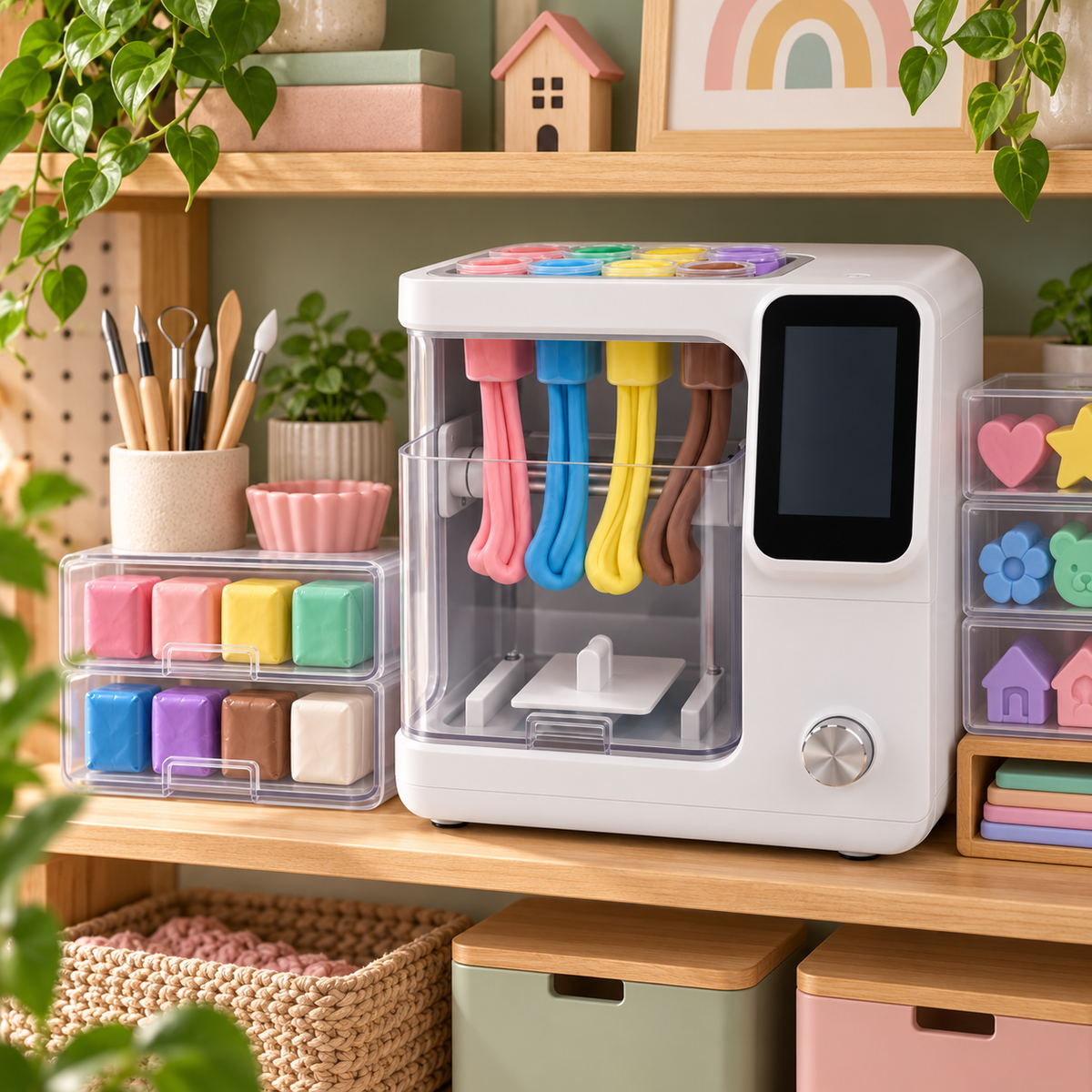
AI Smart Clay Creative Studio
Upload a photo, choose an idea and create colorful 3D clay figures, pets, holiday decorations and miniature keepsakes automatically.
One machine can become an entire creative studio.
The AI Smart Clay Creative Studio is designed for families, children and creative adults who want to turn photos and ideas into physical three-dimensional clay creations.
Make a miniature family. Recreate your dog or cat. Design a tiny house. Create Halloween characters, Christmas decorations, flowers, toys and personalized gifts.
Upload an image or choose a built-in template, allow AI to generate the 3D structure, and let the intelligent color-mixing and forming system do the rest.
One machine. Hundreds of creative possibilities.
🎨 Create More Than Just Figures
Turn suitable photos into stylized 3D clay keepsakes.
Create miniature dogs, cats and other pets from suitable reference images.
Make pumpkins, ghosts, witches, costume figures and spooky decorations.
Build festive family figures, snowmen, trees and personalized holiday keepsakes.
Create colorful miniature homes and decorative structures.
Let AI turn your picture or template into a build-ready clay model.
🐾 Make Your Pet Part of the Memory
Family memories are not only about people.
Upload a suitable photo of your dog, cat or other pet and let AI create a stylized miniature interpretation using the pet's visible colors, markings and body shape.
You can create:
- Family + dog keepsakes
- Child + pet figures
- Personalized pet gifts
- Pet memorial displays
- Holiday pet ornaments and figurines
Because pets are family too.
🎃 Create Your Own Halloween Collection
Turn Halloween into a creative family activity.
Use built-in templates or upload suitable reference images to create miniature pumpkins, ghosts, costume characters, witches, monsters and personalized family scenes.
Pumpkins
Ghosts
Witches
Spooky Decor
Costume Families
🎄 Make Christmas Gifts More Personal
Create holiday decorations that cannot be found on an ordinary store shelf.
Turn family photographs into festive miniature figures, recreate your pet wearing a Christmas accessory, or make snowmen and Christmas trees together with your children.
A creative activity before Christmas — and a keepsake after Christmas.
🧠 AI + Precision Clay Forming
The machine combines AI image interpretation with controlled clay extrusion.
AI identifies the major shapes, visible subjects and dominant color information inside the uploaded image. A simplified clay-ready 3D model is then created automatically.
Multi-channel clay extrusion delivers the selected colors while the internal motion system controls positioning, height and shape throughout the creation process.
🌈 Automatic Color Mixing
Different projects may need dozens of visible shades, but you do not have to manually prepare every single color.
The intelligent clay-dosing system mixes the primary colors in different ratios and can use an optional neutral-tone channel for lighter, darker and skin-tone variations.
Load the clay. Let the machine calculate the color.
⚙️ Flagship Configuration
🌟 Endless Creation Ideas
Families
Dogs
Cats
Halloween
Christmas
Houses
Flowers
Toys
Couples
Gifts
🎁 A Creative Gift for the Whole Year
Unlike a single toy, this machine can create something different for every season and celebration.
- Birthdays
- Halloween
- Christmas
- Mother's Day
- Father's Day
- Anniversaries
- Grandparent gifts
- Pet keepsakes
- Family activity nights
- Personalized home decorations
⚙️ How to Create
- Place the machine on a level and stable surface.
- Load compatible clay into the color cartridges.
- Choose a built-in template or upload your own image.
- Let AI analyze the image and generate a 3D preview.
- Select the desired figure size.
- Review the model on the touchscreen.
- Press START.
- The machine automatically calculates clay colors.
- The extrusion system begins building the creation.
- Wait until the project-complete notification appears.
- Open the door and carefully remove the finished creation.
- Allow delicate parts to stabilize before extensive handling.
🧼 Care & Maintenance
- Remove leftover clay from exposed nozzles after use.
- Use the automatic cleaning cycle when changing materials.
- Keep compatible clay sealed when not in use.
- Clean the build plate after completed projects.
- Wipe the transparent door using a soft cloth.
- Never immerse the main appliance in water.
- Keep electronic controls dry.
- Disconnect power before manual cleaning.
⚠️ Safety Notes
- Adult supervision is recommended for children.
- The clay and finished creations are not edible.
- Small parts may present a choking hazard.
- Not intended for unsupervised use by children under 8.
- Keep hands out of the machine while moving parts are operating.
- Do not bypass the safety-door mechanism.
- Use only compatible clay formulations.
- Stop use and clear the system if a jam warning appears.
- Disconnect the machine before internal maintenance.
📦 Easy Craft-Room Storage
After your project is finished, clean the extrusion area, seal any unused clay and store the machine upright on a strong shelf, craft cabinet or dedicated creative workstation
Share