Orlivane
📸✨ AI Photo-to-3D Memory Printer – Create Family, Pet & Holiday 3D Keepsakes Automatically 🖨️
📸✨ AI Photo-to-3D Memory Printer – Create Family, Pet & Holiday 3D Keepsakes Automatically 🖨️
Couldn't load pickup availability
AI Photo-to-3D Smart Printer
Turn ordinary family photos, pets, holiday memories, buildings, toys and creative ideas into detailed three-dimensional objects you can actually hold.
Most photographs stay on a phone forever. This machine gives you another option.
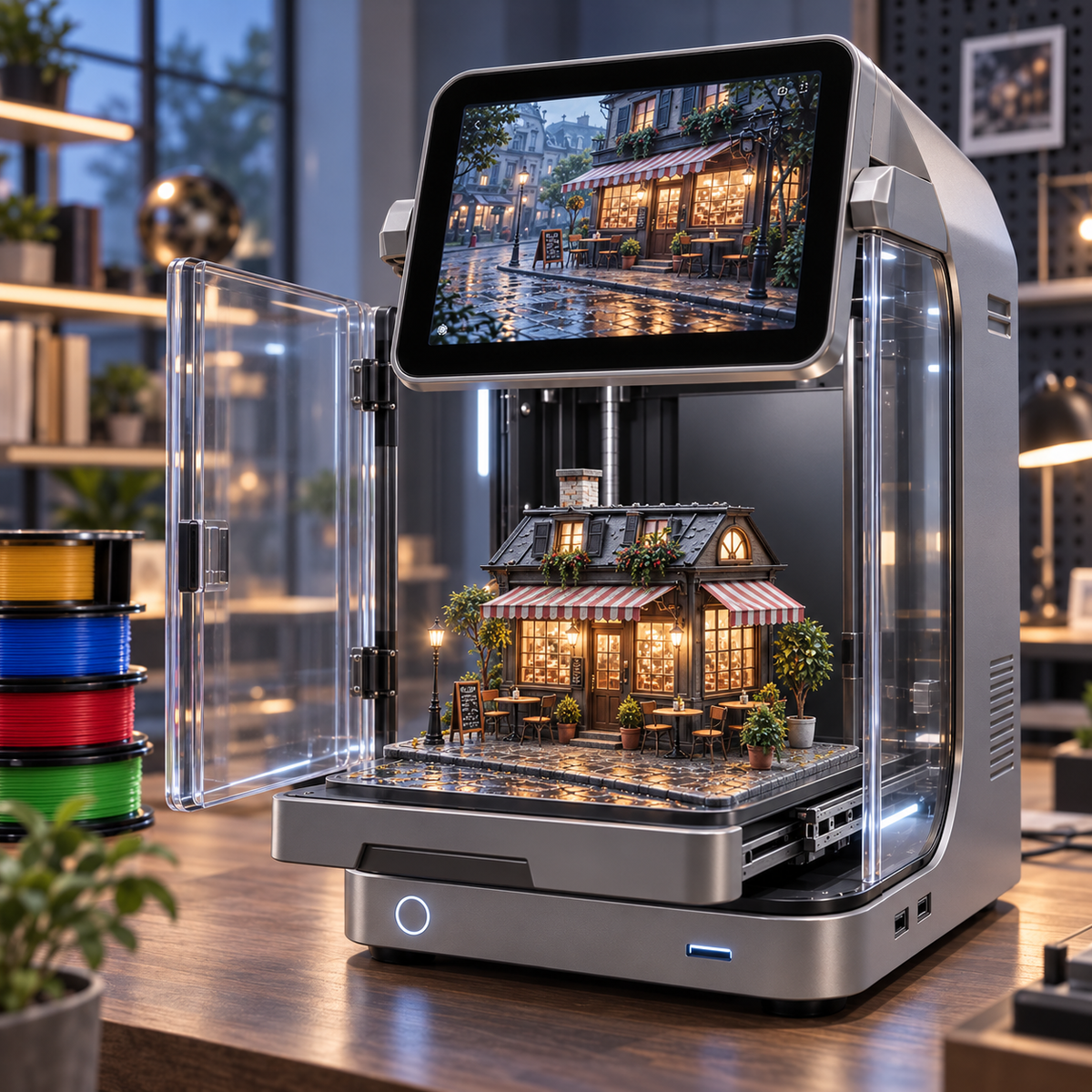
The AI Photo-to-3D Smart Printer combines intelligent image analysis, AI-assisted 3D reconstruction, automatic slicing and precision filament printing inside one enclosed creative workstation.
Upload a suitable image, and the AI analyzes visible people, animals, buildings, objects, colors, proportions and depth information.
It then creates a printable three-dimensional interpretation, intelligently reconstructing geometry that may not be directly visible in the original two-dimensional photograph.
Preview the generated model on the large touchscreen, choose the size and style, press START, and let the printer create your personalized physical model.
Don't just save the photo. Bring it into the real world.
✨ From 2D Photo to Physical 3D Creation
Use family portraits, pet photos, buildings, objects, holiday scenes and other suitable reference images.
AI estimates depth, shape and hidden geometry to transform a flat image into a printable 3D interpretation.
The software builds a printable model automatically, reducing the need for traditional manual 3D modeling.
Smart software prepares layer height, supports, infill and print path automatically.
Upload, preview, resize and manage creations directly from the integrated full-color display.
Create colorful figures, miniatures, decorations and prototypes using compatible filament colors.
🤖 How Photo-to-3D Works
From camera roll to display shelf.
👨👩👧👦 Turn a Family Photo Into a 3D Family Keepsake
Upload a clear family portrait and allow AI to identify the visible faces, hairstyles, body positions, clothing and group arrangement.
The system generates a stylized three-dimensional model designed to preserve the recognizable characteristics of each family member.
Add your child, parents, grandparents or even the family dog to one personalized display.
A family photo becomes something you can place on the shelf and keep.
🐶 Create Your Pet in 3D
Upload a clear photo of your dog, cat or another suitable animal.
AI analyzes the visible body proportions, face shape, pose, coat structure and major markings before creating a three-dimensional interpretation.
Make a miniature pet for your desk, add your pet to a family model, or create a meaningful memorial keepsake.
🎃🎄 Turn Holiday Photos Into Decorations
Every holiday can become a new creative project.
Pumpkins, haunted houses, family costumes and spooky displays.
Family Christmas scenes, snowmen, pets and miniature villages.
Turn milestone photographs into personalized gifts.
Recreate meaningful couple or wedding photographs.
🏠 Recreate Buildings & Miniature Scenes
Photo-to-3D creation is not limited to people.
Upload suitable photographs of houses, cafés, storefronts, cabins or other structures and allow the AI engine to generate a printable miniature interpretation.
Build:
- Miniature cafés
- Family homes
- Vacation memories
- Street scenes
- Holiday villages
- Architectural displays
- Dioramas
- Desk decorations
🚀 More Than Just Figurines
Printed utility objects are intended for hobby and general-purpose applications. Do not use printed parts for safety-critical, medical or load-bearing applications unless properly engineered and tested.
Start Creating Immediately
10 Material Sets Included With Your Printer
Multiple material colors included so you can begin printing immediately.
Enough starter material for dozens of projects depending on model size and settings.
Create colorful family figures, pets, toys and seasonal decorations.
*Actual number of creations depends on model dimensions, infill, support structure and material usage.
🎁 Customer Feedback Material Bonus
After receiving and using your printer, eligible customers may submit an honest product review and apply for an additional material bonus.
Eligible Offer: Up to 10 Additional Material Sets
Bonus availability may vary by promotion, region and sales platform. Reviews should reflect your genuine experience and must comply with the platform's review policies.
⚙️ Flagship Technical Specifications
🤖 Smart Printing Technology
Creates 3D geometry from supported photographs.
Automatically calculates layers, supports and print paths.
Calibrates the build surface before printing.
Pauses printing if material runs out unexpectedly.
Monitor print progress and capture time-lapse footage.
Supports print recovery after an unexpected power interruption.
📸 Tips for Better Photo-to-3D Results
- Choose clear, high-resolution photographs.
- Use images with good lighting and visible subject boundaries.
- Full-body photos provide more information for human figures.
- For pets, use an image showing the body and face clearly.
- Simple backgrounds can improve subject recognition.
- For buildings, front three-quarter views can provide more visible geometry.
- More than one reference image may improve reconstruction when supported.
AI reconstruction generates an interpreted 3D model. Very fine details or surfaces not visible in the original photograph may be reconstructed rather than reproduced exactly.
⚙️ How to Use
- Place the printer on a stable, level work surface.
- Install a compatible filament spool.
- Power on the machine.
- Connect through Wi-Fi or transfer your image using the supported interface.
- Upload the photograph you want to recreate.
- Select Photo-to-3D mode.
- Allow the AI engine to analyze the photograph.
- Preview the generated three-dimensional model.
- Choose the desired model size and orientation.
- Select the preferred print quality.
- Allow the software to generate supports and slice the model.
- Confirm the print.
- The machine automatically calibrates the build plate.
- Printing begins automatically.
- Monitor the creation through the clear enclosure or built-in camera.
- Wait until the model and print bed have cooled before removing the finished creation.
- Carefully remove support material if present.
🧵 Filament Care
- Keep unused filament in a sealed, dry container.
- Avoid prolonged exposure to high humidity.
- Store filament away from direct sunlight.
- Make sure the spool can rotate freely during printing.
- Do not use tangled, damaged or contaminated filament.
- Use the correct material profile for the installed filament type.
- Dry moisture-sensitive filament before printing if required.
🧼 Cleaning & Maintenance
- Remove loose filament debris from the build chamber regularly.
- Keep the build plate clean for reliable first-layer adhesion.
- Clean the nozzle according to the supplied maintenance procedure.
- Inspect the filament path for small fragments or blockages.
- Keep linear rails free from dust.
- Use only recommended lubricant on moving components when required.
- Wipe the touchscreen using a soft microfiber cloth.
- Clean transparent enclosure panels using a non-abrasive cloth.
- Turn off and unplug the machine before manual internal maintenance.
⚠️ Important Safety Notes
- The nozzle and heated print bed can become extremely hot.
- Do not touch hot components during or immediately after printing.
- Keep the enclosure closed during active printing whenever possible.
- Moving printer mechanisms can cause pinch injuries.
- Keep loose clothing, hair and fingers away from moving components.
- Use compatible filament materials only.
- Operate the printer in a well-ventilated area.
- Children should use the machine only under adult supervision.
- Do not leave high-temperature specialty materials printing unattended.
- Disconnect power before servicing internal electrical components.
📦 What's Included
🛡️ Create With Confidence
From uploading your first photo to holding your first printed model, we're here to help throughout the creative process.
Turn Your Memories Into Something Real
Family photographs, pets, Christmas memories, Halloween scenes, buildings, toys and creative ideas — upload the picture and let AI help bring it into three dimensions.
Upload. Rebuild. Print. Keep Forever.
Share